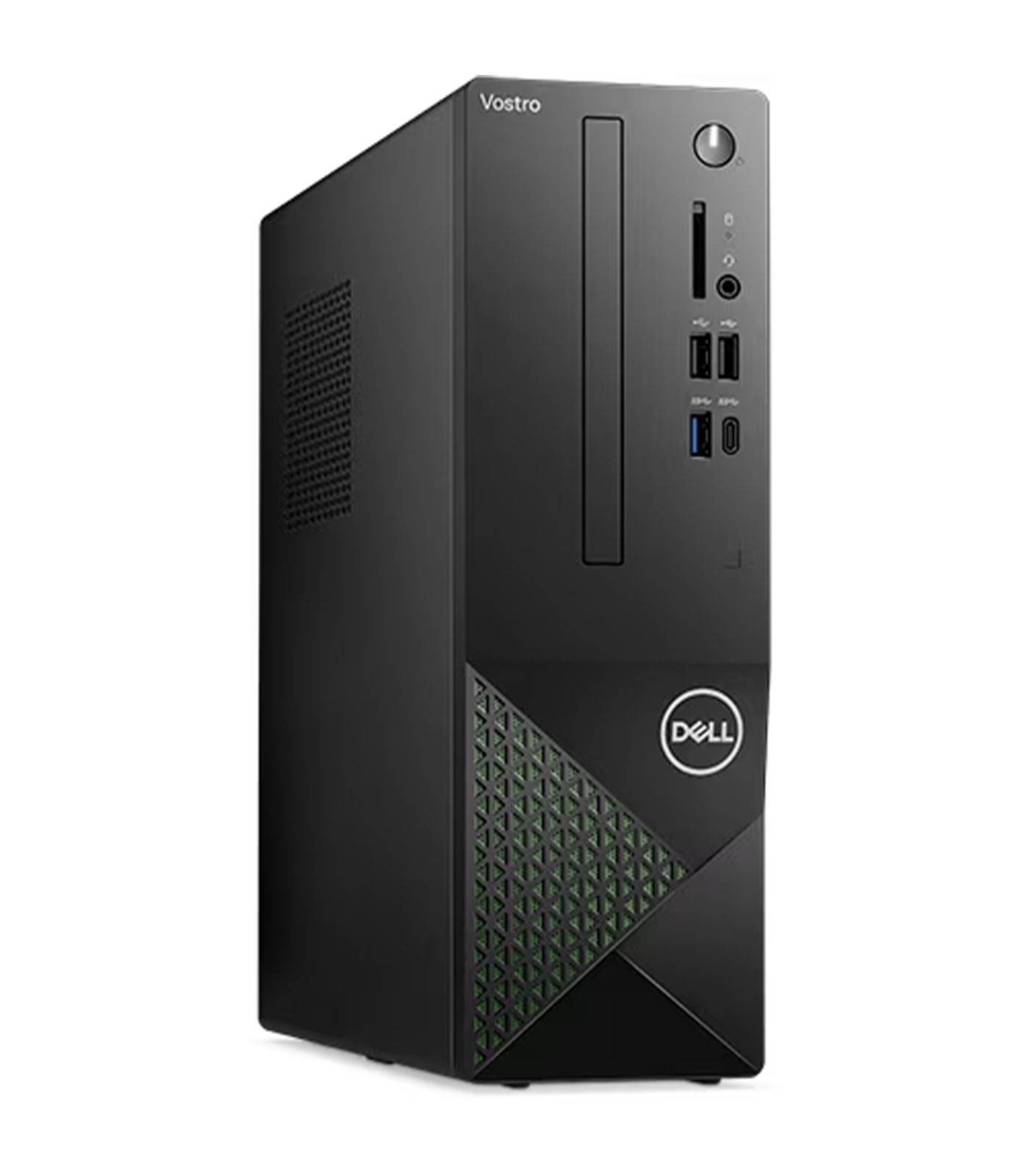
Dell Vostro 3030 Small Desktop 14th Gen Intel Core i3 14100 8GB RAM 512GB SSD Win 11 Home
Dell Vostro 3030 Small Desktop 14th Gen Intel Core i3 14100 8GB RAM 512GB SSD Win 11 Home
Description
Features
 The Dell Vostro 3030 Small Desktop with the 14th Gen Intel Core i3-14100 processor, 8GB of RAM, 512GB SSD, and Windows 11 Home is a highly capable and efficient desktop solution tailored for small businesses, home offices, and personal use. This compact desktop offers a powerful combination of speed, reliability, and storage, making it ideal for everyday computing needs. Whether for browsing, office tasks, or multimedia consumption, the Vostro 3030 is designed to meet the demands of users looking for a solid, no-fuss desktop computer. With its modern hardware and sleek form factor, the Dell Vostro 3030 delivers great performance without the high price tag typically associated with more powerful desktops. In this review, we will explore the Vostro 3030 in detail, discussing its design, performance, connectivity, security features, and overall value for money.
Design: Compact and Professional with a Small Footprint
The Dell Vostro 3030 is designed for users who need a dependable desktop with a small footprint. With its compact small form factor design, the Vostro 3030 measures just 291 x 200 x 92 mm, making it ideal for users who have limited desk space or need a machine that can easily fit into a small workspace. The slim and compact chassis allows the desktop to be easily placed on or under a desk without taking up too much room. This design is especially beneficial in business or home office environments where space is at a premium. Despite its small size, the build quality of the Vostro 3030 is solid. The chassis is constructed using high-quality materials to ensure durability, offering long-lasting performance and protection for internal components. The black exterior gives the Vostro 3030 a professional and sleek look, which suits both home office setups and business environments. Its minimalistic design ensures that the desktop blends seamlessly into various office styles without being too noticeable. Whether placed on a desk, under a table, or tucked into a corner, the Vostro 3030 delivers a polished and functional look that reflects its purpose as a practical, work-focused desktop.
Powered by the 14th Gen Intel Core i3-14100 Processor
 At the heart of the Dell Vostro 3030 lies the 14th Gen Intel Core i3-14100 processor, a quad-core CPU that offers excellent performance for most everyday computing tasks. The i3-14100 processor is designed for users who require a machine that can handle a variety of basic productivity tasks, such as web browsing, word processing, and spreadsheet management. Operating at a base clock speed of 3.3 GHz with the capability to boost up to 4.1 GHz, the processor is more than capable of handling multitasking, light media editing, and light coding tasks with ease. For small businesses or home office users, the Intel Core i3-14100 provides a solid foundation for general productivity applications, such as Microsoft Office Suite, email management, and online collaboration. It is also capable of handling more demanding tasks such as video streaming, web development, and light photo or video editing. While it may not be suited for intensive tasks like gaming, 3D rendering, or high-end video production, the i3-14100 processor is ideal for users who need an efficient, no-nonsense desktop that can run a wide range of daily applications without the need for excessive processing power.
8GB RAM: Smooth Multitasking for Productivity
With 8GB of RAM, the Dell Vostro 3030 is well-equipped to handle the demands of most office-based tasks, including multitasking. The system’s 8GB of memory ensures that applications load quickly and run smoothly, even with multiple browser tabs open, video calls in progress, and productivity applications running in the background. 8GB of RAM is considered the sweet spot for general office use, offering enough capacity for everyday tasks without overburdening the system with excessive memory. For small businesses or individuals working with spreadsheets, documents, and email, the Vostro 3030’s RAM configuration provides ample memory for all typical activities. It allows for quick switching between tasks, ensuring users can stay productive even when juggling several applications at once. For users who don’t require specialized software such as video editing tools or 3D modeling applications, the 8GB of RAM in the Vostro 3030 is more than sufficient. It helps maintain a smooth and efficient user experience, allowing users to focus on their work without worrying about system slowdowns.
512GB SSD: Fast Storage for Quick Access
 The 512GB SSD in the Dell Vostro 3030 provides fast storage that significantly enhances overall system performance. Unlike traditional hard drives, solid-state drives (SSDs) have no moving parts, which not only makes them faster but also more reliable and energy-efficient. With 512GB of storage, users have ample space for storing business documents, media files, software, and other essential data without worrying about running out of space quickly. The benefit of the SSD lies in its speed. The boot-up time for the Dell Vostro 3030 is incredibly fast, allowing the desktop to start up in seconds. Applications load quickly, reducing wait times and increasing productivity. This speed is particularly useful for business users who need to quickly access files, launch applications, or perform basic computing tasks without being slowed down by delays. The 512GB capacity also provides a solid amount of space for users to store their operating system, applications, documents, and other essential files without external storage devices.
Windows 11 Home: A Modern Operating System
The Dell Vostro 3030 runs on Windows 11 Home, Microsoft’s latest operating system, which brings a host of new features and improvements over its predecessors. Windows 11 is designed to offer a more intuitive user interface with rounded corners, a simplified taskbar, and a centered Start menu, making the user experience feel more modern and streamlined. The operating system also introduces virtual desktops, improved window management with Snap Layouts, and enhanced multitasking capabilities that make it easier for users to stay organized and focused. For business users, Windows 11 Home provides all the essential features, including Windows Defender for security, File Explorer for managing files, and Microsoft Edge for web browsing. The addition of Teams integration in the operating system ensures that business communications and collaboration are smoother than ever. For personal use, Windows 11 offers access to a wide range of applications, from media consumption to gaming, ensuring that users have everything they need right at their fingertips.
Security: Business-Grade Features to Protect Your Data
 The Dell Vostro 3030 is equipped with a variety of security features designed to protect sensitive business or personal data. Windows 11 Home, combined with Dell’s proprietary security tools, ensures that data is kept safe from malware, ransomware, and other security threats. Windows Defender provides real-time protection, while the system’s TPM 2.0 (Trusted Platform Module) enables secure encryption for sensitive information stored on the device. For users working in business environments, BitLocker allows for the encryption of the entire hard drive, preventing unauthorized access to data. The Vostro 3030 also includes BIOS-level security, ensuring that the device is protected even before the operating system boots up. With these built-in security features, the Vostro 3030 ensures that your data remains safe, even in the event of a physical theft or unauthorized access.
Connectivity: A Wide Range of Ports and Wireless Options
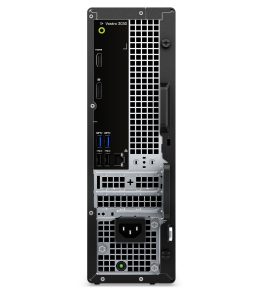
The Dell Vostro 3030 offers a comprehensive selection of connectivity options, ensuring that users can easily connect to other devices, networks, and peripherals. The desktop features multiple USB ports, including USB 3.2 and USB 2.0, which provide fast data transfer speeds for peripherals such as keyboards, mice, printers, and external storage drives. The presence of USB Type-C support allows for future-proof connectivity, ensuring that the device is compatible with the latest accessories and charging standards. In addition, the Vostro 3030 comes with HDMI output, enabling users to connect to external monitors or projectors for dual-display setups or presentations. This is ideal for business users who require an external display for productivity or for remote workers who need to expand their workspace. For wireless connectivity, the Vostro 3030 supports Wi-Fi 6, which provides faster internet speeds, lower latency, and better performance in crowded environments compared to previous Wi-Fi standards. Bluetooth 5.0 allows users to connect wireless peripherals such as headphones, speakers, and other devices with ease.