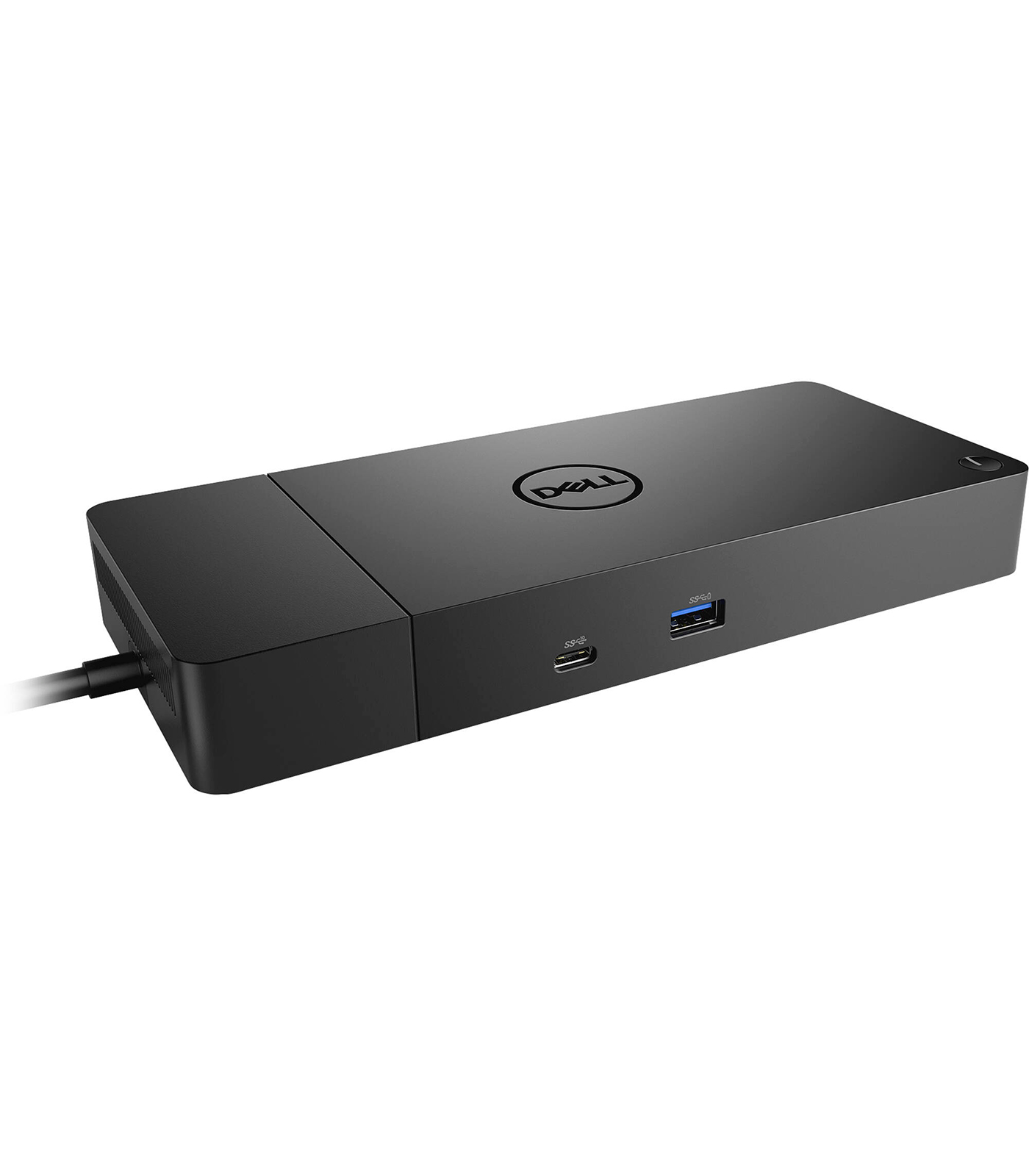
Dell WD19S USB Type-C Dock with 180W Power Adapter
Dell WD19S USB Type-C Dock with 180W Power Adapter
Description
Features
The Dell WD19S USB Type-C Dock with 180W Power Adapter is an advanced docking solution designed to enhance productivity and simplify connectivity for professionals who use Dell laptops or other compatible USB-C-enabled devices. As part of Dell’s WD19 series, the WD19S model is a refined version aimed at delivering consistent power, extensive connectivity options, and a seamless user experience for both office and remote environments. With the increasing trend toward hybrid workspaces, hot-desking, and minimal cable clutter, docking stations like the WD19S offer a centralized hub that eliminates the need to plug and unplug multiple peripherals repeatedly. The WD19S serves as an effective bridge between laptops and various external devices, making it ideal for business professionals, IT managers, and enterprise users who need scalable and manageable docking solutions across their organization.
Design, Build Quality, and Form Factor
Physically, the Dell WD19S maintains a sleek, rectangular design with smooth edges and a matte black finish that seamlessly integrates into most modern desk setups. It has a low profile and compact form factor that occupies minimal desk space, yet it offers a surprising amount of functionality. The build quality is solid, with durable materials that ensure long-term reliability even in demanding corporate environments. It’s compact enough to be moved between desks if needed but also stable and heavy enough to stay firmly in place when multiple cables are connected. Designed for both aesthetics and function, it includes strategically placed vents to prevent overheating and is engineered for durability to withstand everyday use.
Power Delivery and Charging Capabilities
The inclusion of a 180W power adapter allows the WD19S dock to deliver up to 130W of power to supported Dell laptops and up to 90W for non-Dell USB-C laptops. This means that the dock not only charges your laptop but also powers any connected peripherals, thereby reducing the need for additional power supplies. With Dell’s proprietary ExpressCharge technology, the dock is capable of charging supported laptops up to 80% in just one hour, which is highly beneficial in fast-paced work environments where minimal downtime is critical. The intelligent power management ensures that power is efficiently distributed among connected devices without risking overload or performance degradation.
Display Support and Multi-Monitor Capabilities
For users who require multiple displays for multitasking or extended screen real estate, the Dell WD19S offers robust display support. Depending on the laptop’s specifications and whether the system supports DisplayPort over USB-C (DP Alt Mode), the dock can handle dual 4K displays at 60Hz or a single 5K display. The combination of DisplayPort and HDMI ports allows for flexible monitor setups, and when used with USB-C enabled Dell laptops that support DisplayPort 1.4 with DSC (Display Stream Compression), the dock can achieve higher resolutions and refresh rates with reduced latency and better image quality. This makes it an excellent solution for professionals in fields like video editing, software development, financial analysis, or any task that benefits from a multi-monitor setup.
Compatibility with Dell and Non-Dell Devices
The WD19S dock is optimized for Dell Latitude, Precision, and XPS series laptops, but its USB-C connectivity ensures broader compatibility with a wide range of laptops from other manufacturers that support USB-C power delivery and DP Alt Mode. While some advanced features like ExpressCharge may be exclusive to Dell systems, the core docking capabilities, including data transfer, video output, and peripheral connectivity, work seamlessly with most modern laptops. IT departments managing mixed-device environments will appreciate the dock’s cross-compatibility, making it easier to standardize on a single docking solution across various device types and user roles.
Software Integration and Manageability
Dell’s WD19S dock is designed with IT management in mind. It supports Dell Client Command Suite and BIOS management capabilities for enterprise deployment and centralized device management. Through these tools, administrators can update firmware, perform diagnostics, and configure device settings remotely, reducing downtime and improving operational efficiency. Firmware updates can also be managed via Dell’s Dock Firmware Update Utility, ensuring that the dock always remains secure and up-to-date. These features are particularly useful in enterprise environments with hundreds or thousands of deployed docks, as they streamline maintenance and lifecycle management significantly.
Thermal Performance and Cooling Efficiency
Efficient thermal management is essential for docking stations that power multiple high-draw devices, and the WD19S does not disappoint. It features passive cooling aided by internal heatsinks and external vents that allow for heat dissipation without the need for active fans. This results in silent operation, which is ideal for quiet office settings and shared workspaces. The dock is engineered to operate within safe thermal limits, even when all ports are in use, ensuring stable performance and protecting connected devices from overheating-related issues.
Security and Physical Locking Options
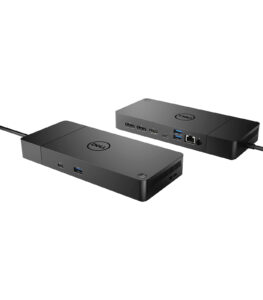 Security is another area where the Dell WD19S shines. It includes a Kensington lock slot that allows users to physically secure the dock to a desk or workstation, which is particularly important in shared or public office spaces. The physical security helps deter theft and unauthorized tampering. In combination with Dell’s enterprise-grade security features like MAC address pass-through, PXE boot, and Wake-on-LAN, the dock can integrate into secure IT infrastructures and support remote management and deployment protocols used in enterprise networks.
Use Cases and Target Audience
The Dell WD19S USB-C dock is designed with a wide range of users in mind—from business professionals who need streamlined workspace setups to content creators, software developers, IT administrators, and data analysts who require powerful display and peripheral support. Its plug-and-play nature makes it ideal for home offices, especially for those working remotely with company-issued laptops. In corporate settings, it supports hot-desking and agile work environments by enabling users to quickly connect and disconnect from their workspace with a single USB-C cable. Educational institutions and government agencies can also benefit from its manageability and durability, especially in environments where devices are used intensively by multiple users.
Ease of Setup and User Experience
Setting up the Dell WD19S is straightforward and user-friendly. Users simply connect their laptop via the included USB-C cable, and the dock immediately powers the device while activating connected peripherals and displays. No additional drivers are needed for most modern operating systems, though Dell provides optional drivers for enhanced functionality and firmware updates. LED indicators on the dock provide visual confirmation that power and connectivity are active, and the layout of the ports ensures easy cable management and access. Whether used by a tech-savvy professional or a general office user, the WD19S offers an intuitive and hassle-free experience right out of the box.
Environmental Responsibility and Sustainability
Dell has made strides in ensuring that its accessories align with its sustainability goals. The WD19S dock is compliant with several environmental and regulatory standards, including ENERGY STAR and EPEAT, and it is built with materials that reduce environmental impact. The device is also packaged in eco-friendly materials that are recyclable, reflecting Dell’s ongoing efforts to minimize waste and carbon footprint. These considerations make the WD19S an environmentally conscious choice for businesses that are committed to corporate social responsibility and green technology adoption.
Longevity and Upgrade Path
With its modular design and firmware upgrade support, the WD19S is built for longevity. Dell has designed the WD19 docking series to be modular, meaning it’s possible to replace or upgrade specific components such as the connectivity module in case newer technology becomes available. This approach reduces the need for wholesale replacement of docking stations as hardware evolves, which can significantly reduce total cost of ownership and electronic waste. For businesses looking for scalable and future-proof solutions, this flexibility makes the WD19S a smart investment that can evolve with changing tech needs.
the Dell WD19S USB Type-C Dock with 180W Power Adapter represents a highly capable and thoughtfully engineered docking station that combines robust connectivity, high power delivery, enterprise manageability, and user-friendly design into a compact, desk-friendly package. Whether deployed in large corporate settings, used in home offices, or integrated into education and healthcare environments, it delivers consistent and high-performance connectivity that enhances the computing experience. From its extensive port selection to its strong support for dual and triple monitor setups, rapid charging capabilities, security features, and modularity, the WD19S embodies Dell’s commitment to quality, productivity, and innovation. It stands as a reliable companion for professionals who demand seamless transitions between mobile and desktop work modes, helping users remain productive, organized, and connected no matter where they work.
Connectivity Options and Port Configuration
One of the key strengths of the WD19S dock is its extensive array of connectivity ports that allow users to connect a wide variety of peripherals and accessories. On the front, it offers a USB-C 3.1 Gen 2 port for data and power delivery, a USB-A 3.1 Gen 1 port, and a 3.5mm combo audio jack. The front-facing ports are especially useful for quick access to plug in USB drives, charge mobile devices, or connect headphones. Moving to the rear panel, the WD19S features a DisplayPort 1.4, an HDMI 2.0 port, two USB-A 3.1 Gen 1 ports, a USB-C Multi-function DisplayPort, a Gigabit Ethernet RJ-45 port, and a power input port. This range of connectivity o
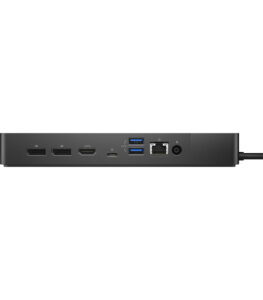
ptions enables users to connect dual or triple monitors, external hard drives, keyboards, mice, wired internet, and more—transforming a laptop into a fully functional desktop workstation with ease.