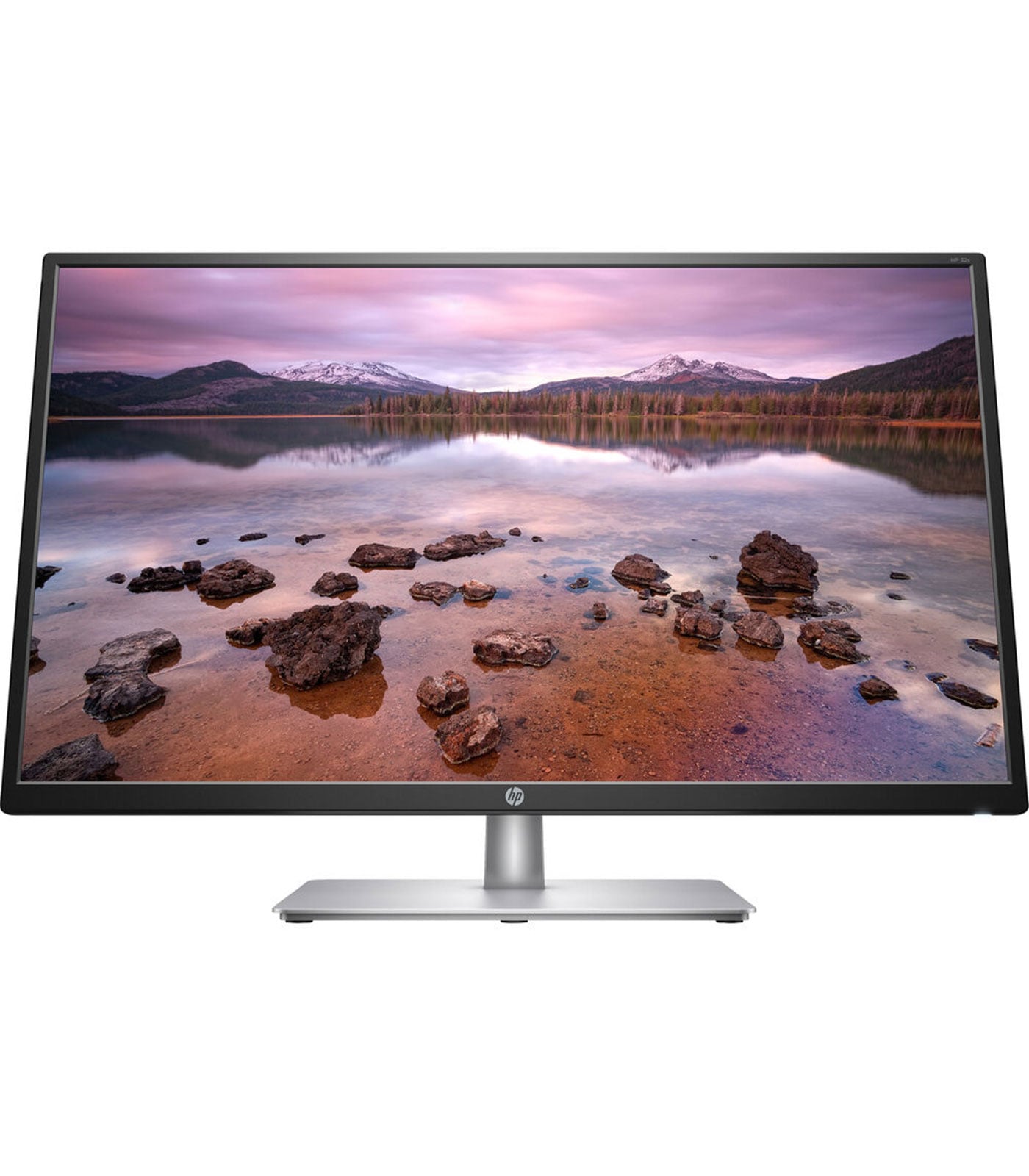
HP 32s 2UD96ASABV 31.5 Inch FHD IPS Monitor
HP 32s 2UD96ASABV 31.5 Inch FHD IPS Monitor
Description
Features
 The HP 32s 2UD96ASABV 31.5″ FHD IPS Monitor is designed to offer an excellent balance between size, performance, and affordability. With a massive 31.5-inch display and Full HD resolution, this monitor stands out for its spacious screen real estate, vibrant colors, and wide viewing angles, making it ideal for everything from professional tasks to entertainment. we’ll cover the main features, specifications, and user benefits of the HP 32s monitor to help you determine if it’s the right choice for your needs.
Design and Build Quality
The HP 32s has a sleek, modern design that complements any workspace. Its minimalistic approach features slim bezels on three sides, which maximizes the screen area and provides a more immersive viewing experience, especially for users with multiple monitor setups. The monitor’s stand is simple yet sturdy, with a small footprint to save desk space. However, it only allows for tilt adjustment, which might limit flexibility in positioning the screen at the ideal eye level. the HP devices are compatible, meaning it can be mounted on a wall or used with an adjustable arm for more customizable viewing angles. The overall build quality feels solid, with durable plastic housing that resists fingerprints, adding to the longevity of the monitor.
Display Quality
 The highlight of the HP 32s monitor is its 31.5-inch FHD (1920 x 1080) IPS display. While some users may argue that Full HD resolution might be less sharp on a screen this large, the display performs well, especially for tasks that benefit from a large screen without the need for ultra-high resolutions. The IPS panel is known for its excellent color reproduction and wide viewing angles, ensuring that colors remain consistent even when viewed from different perspectives. With a brightness level of 250 nits and a contrast ratio of 1200:1, the HP 32s provides vibrant colors and decent depth for various tasks, from watching videos to photo editing. This makes it suitable for general multimedia usage as well as casual gaming. However, professionals requiring extremely high color accuracy for fields like graphic design or photography may find the FHD resolution limiting compared to higher-resolution options.
Color Accuracy and Coverage
One of the significant advantages of the HP 32s monitor is its color reproduction. With over 99% sRGB color coverage, the monitor can accurately display a wide range of colors, making it ideal for users who value color fidelity. The monitor’s color accuracy may not meet the standards for professional-grade monitors, but for general office work, content creation, and streaming, it performs admirably. The colors are natural, and the IPS technology helps maintain this color accuracy across various viewing angles, making it an ideal option for those who collaborate with others and need consistent image quality.
Performance and Response Time
The HP 32s monitor has a 5ms response time with overdrive, which is respectable for a display of this size and price range. While it may not compete with high-end gaming monitors in terms of response time, it is more than sufficient for everyday usage and casual gaming. For those involved in competitive gaming, the response time and 60Hz refresh rate may fall short, as fast-paced gaming requires quicker response times and higher refresh rates to reduce motion blur and improve visual clarity.
Eye Comfort Features
 To reduce eye strain during extended usage, the HP 32s comes with HP’s Low Blue Light technology, which minimizes blue light emissions from the screen. This feature can be particularly beneficial for individuals who spend long hours in front of their monitor, as high blue light levels are known to cause eye fatigue. The Low Blue Light mode makes the display appear warmer and is easier on the eyes, especially in dim lighting conditions or late-night usage. This monitor also has a flicker-free screen, another essential feature for reducing eye strain. Flicker-free technology provides a more comfortable viewing experience by eliminating flicker at all brightness levels, which can contribute to less fatigue over prolonged sessions.
User Experience and Setup
Setting up the HP 32s monitor is straightforward. It includes a quick-start guide and tools, allowing users to assemble it within minutes. HP has designed the monitor with user convenience in mind, and the menu navigation controls are easy to use. The on-screen display (OSD) menu provides control over essential settings, such as brightness, contrast, and color temperature, along with pre-configured modes for specific tasks like reading or watching videos.
Power Efficiency
 The HP 32s is ENERGY STAR® certified and has been designed with energy efficiency in mind. Given the environmental and cost-saving benefits, this feature is beneficial for users who need to keep power consumption low, particularly in office settings where multiple monitors are used. Its low energy consumption also makes it a great choice for home users looking to keep their electricity bills under control.
Connectivity Options
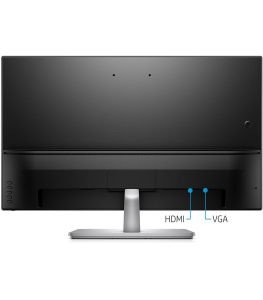
Connectivity is straightforward with the HP 32s, as it includes one HDMI and one VGA port. This combination is standard and should be compatible with most modern laptops, desktops, and gaming consoles. The inclusion of VGA allows users with older devices to connect without needing adapters. However, this monitor lacks advanced connectivity options such as USB-C or DisplayPort, which are becoming more common in newer monitors. Users requiring multiple connectivity options or daisy-chaining capabilities may need to look at other models. It’s also worth noting that the HP 32s does not have built-in speakers, which could be a drawback for users who prefer an all-in-one setup. This can be easily remedied with external speakers or headphones, but it’s an aspect to consider for those who prioritize built-in audio.