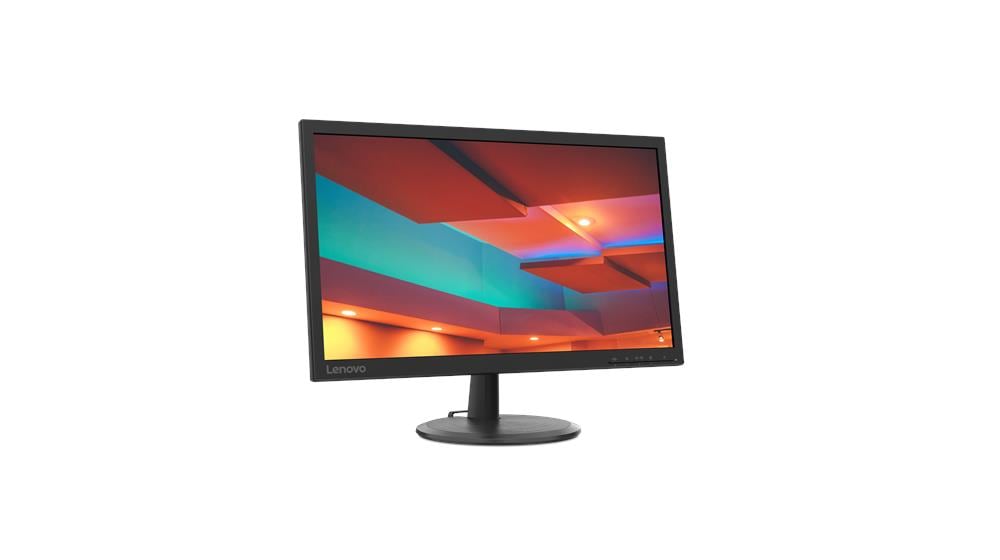
Lenovo C22-20 21.5-inch FHD Monitor
Lenovo C22-20 21.5-inch FHD Monitor
Description
Features
In today’s digital era, monitors are essential for productivity, entertainment, and communication. Whether you’re working from home, gaming, or simply browsing the web, having a reliable monitor can significantly enhance your experience. The Lenovo C22-20 21.5-inch FHD TN Monitor is designed to meet the needs of a broad range of users, offering essential features at an affordable price point. This article provides an in-depth review of the Lenovo C22-20, covering its design, performance, connectivity, and overall value.
Design and Build
The Lenovo C22-20 sports a straightforward design that emphasizes functionality and simplicity. With a 21.5-inch screen, the monitor is compact enough to fit comfortably on most desks without taking up too much space. This makes it an ideal choice for home offices, students, and casual users who need a basic yet reliable display. The monitor features a matte black finish, which helps reduce glare and adds a touch of professionalism to its appearance. The slim bezels on three sides give it a modern look, making it suitable for multi-monitor setups if you need more screen real estate. The stand is basic, offering only tilt adjustment, but this is expected at this price point. If you need more ergonomic flexibility, the VESA mount compatibility allows you to attach the monitor to a wall or a more adjustable stand.
Display Quality
The Lenovo C22-20 features a 21.5-inch Twisted Nematic (TN) panel with a Full HD (1920 x 1080) resolution. TN panels are known for their fast response times and lower production costs, which is why they are commonly found in budget monitors. While TN panels typically have limited color accuracy and viewing angles compared to IPS or VA panels, the C22-20 delivers decent performance for everyday tasks.
The Full HD resolution ensures sharp and clear visuals, making text, images, and videos look crisp on the screen. This is particularly important for office work, where you need to read documents or browse the web for extended periods. The monitor’s 16:9 aspect ratio is standard for most content, providing a comfortable viewing experience for both work and entertainment.
Performance
When it comes to performance, the Lenovo C22-20 excels in delivering smooth and responsive visuals. The monitor has a 5ms response time, which is fast enough for most tasks, including casual gaming. This quick response time helps reduce motion blur, making fast-moving scenes in videos and games appear clearer. The monitor also features a 60Hz refresh rate, which is standard for most budget monitors. While it may not be as high as the refresh rates found in gaming monitors, it is sufficient for everyday use, including watching videos, browsing the web, and working with office applications. If you’re a casual gamer, the C22-20 can handle most games without any issues, although serious gamers might want to look for monitors with higher refresh rates and better color accuracy.
Connectivity
The Lenovo C22-20 offers basic connectivity options, which are adequate for most users. The monitor includes a single HDMI 1.4 port and a VGA port, allowing you to connect it to both modern and older devices. While the lack of additional ports, such as DisplayPort or USB, might be a limitation for some, the provided options cover the essentials for most users.
The HDMI port ensures compatibility with a wide range of devices, including computers, laptops, gaming consoles, and media players. The VGA port, although outdated, is still useful for connecting to older PCs or laptops that may not have HDMI outputs. Additionally, the monitor comes with a standard 3.5mm audio out jack, allowing you to connect external speakers or headphones.
Eye Comfort and Energy Efficiency
In today’s digital world, where screen time is at an all-time high, eye comfort is a critical consideration when choosing a monitor. Lenovo has addressed this concern with features like the previously mentioned low blue light technology and flicker-free backlighting. Flicker-free technology helps reduce eye strain by eliminating the flickering that can occur with traditional LED backlights. This feature is particularly important for users who spend long hours in front of the screen, whether for work, study, or leisure. In terms of energy efficiency, the Lenovo C22-20 is compliant with environmental standards like Energy Star and EPEAT. These certifications indicate that the monitor is designed to consume less power, which not only helps reduce electricity bills but also minimizes its environmental impact.
Price and Value
One of the most attractive aspects of the Lenovo C22-20 is its affordability. Positioned as a budget-friendly option, this monitor offers solid performance and essential features at a price that won’t break the bank. It is an excellent choice for students, home offices, or anyone looking for a reliable secondary monitor without a hefty price tag. While the monitor lacks some of the advanced features found in more expensive models, such as higher refresh rates, better color accuracy, and more extensive connectivity options, it delivers excellent value for the price. For everyday tasks, casual gaming, and general multimedia consumption, the Lenovo C22-20 is a dependable and cost-effective solution.