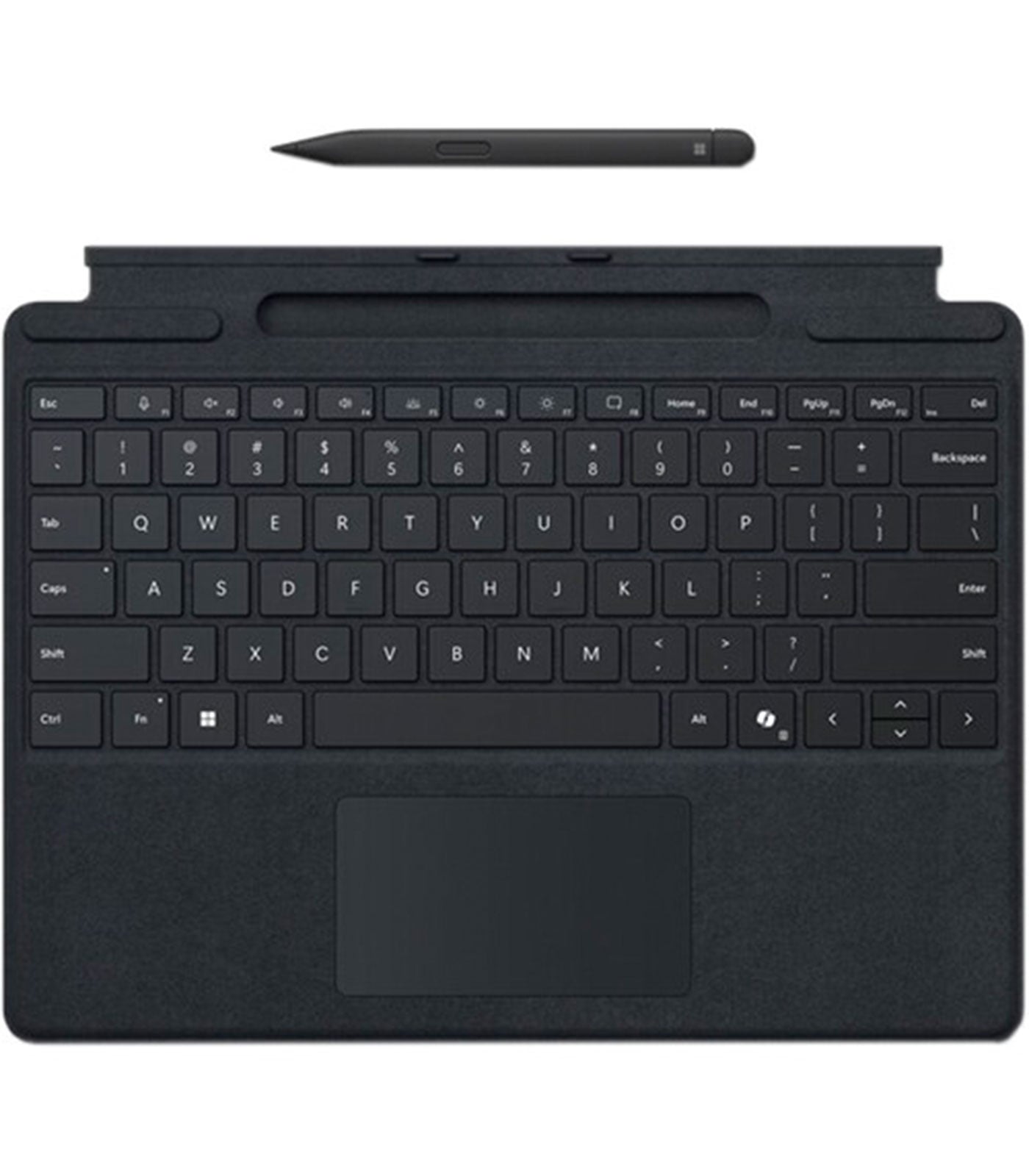
Microsoft Surface Pro Keyboard with Slim Pen for Business Black 8X8-00141
Microsoft Surface Pro Keyboard with Slim Pen for Business Black 8X8-00141
Description
Features
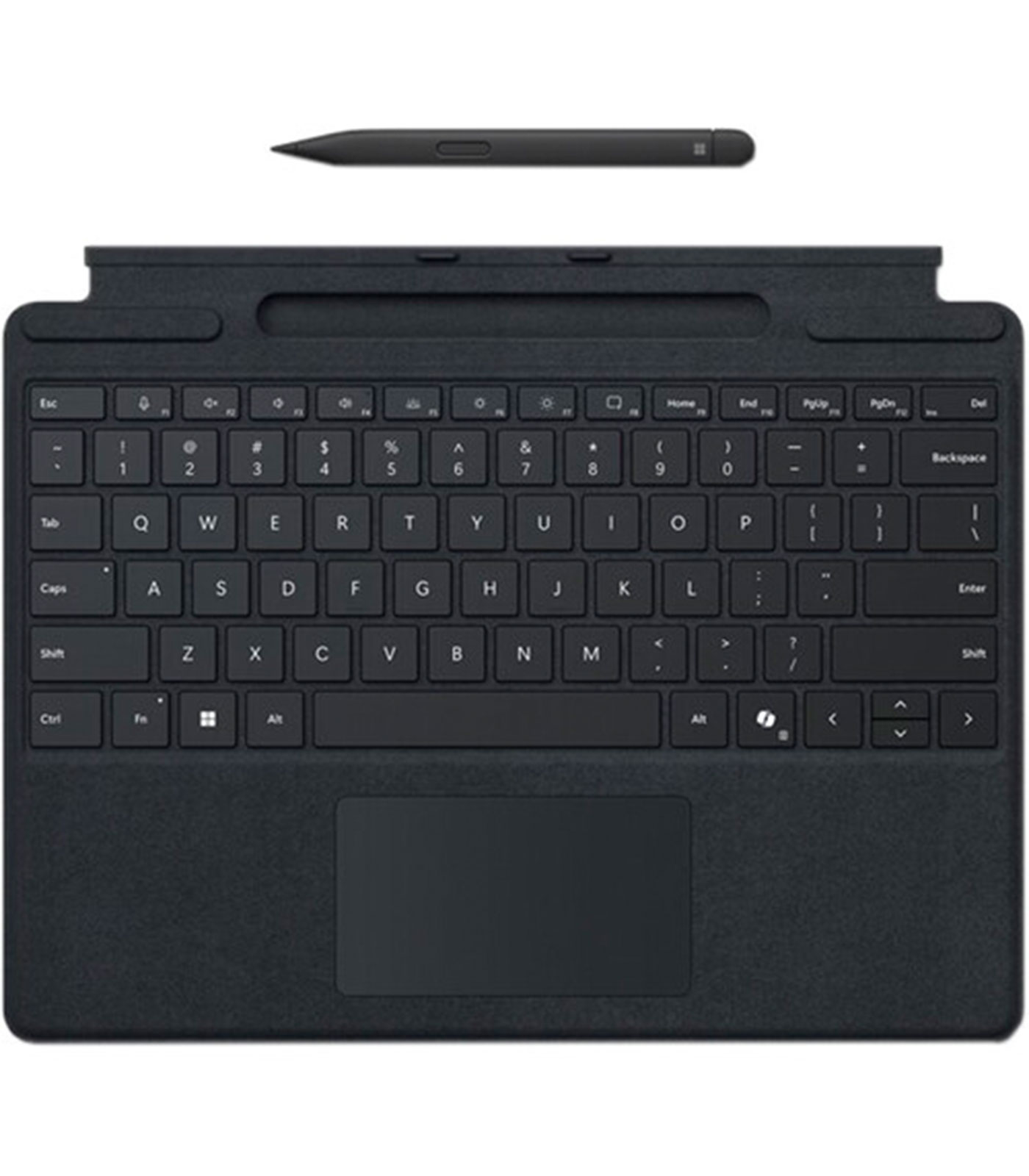
The Microsoft Surface Pro Keyboard with Slim Pen for Business Black (Model: 8X8-00141) is an essential productivity accessory designed specifically to complement the versatile Surface Pro devices, catering to professional and business users who prioritize performance, mobility, and style. Design and Build Quality play a critical role in the appeal of this keyboard. Crafted with precision and attention to detail, the keyboard features a sleek, premium black finish that looks modern and professional, seamlessly integrating into any office or mobile setup. The keyset itself is made with high-quality materials that offer a soft-touch matte texture, ensuring a smooth typing experience while maintaining durability over time. The keys are backlit, which aids typing in low-light environments, making it a practical tool for professionals who work late hours or travel frequently. The layout follows a standard QWERTY format with dedicated function keys, media controls, and shortcuts tailored for Windows-based systems, allowing users to execute tasks efficiently with familiar key placements.
Typing Experience and Ergonomics
are central to the keyboard’s appeal, offering a comfortable, responsive typing experience that mimics that of a traditional laptop. The keys are evenly spaced with optimal travel distance, reducing finger fatigue during long typing sessions. The scissor-mechanism under each key provides tactile feedback with minimal noise, ideal for shared workspaces or virtual meetings where quiet typing is preferred. The magnetic connector snaps securely to the Surface Pro device, creating a stable base for typing whether you’re at a desk, in a conference room, or working from an airport lounge. The keyboard also folds slightly upward when attached, offering a slight tilt that improves typing posture and comfort, much like a laptop hinge.
Slim Pen Integration and Features
elevate the keyboard from being a mere input device to a comprehensive creative and productivity tool. The included Microsoft Slim Pen is designed for precise input, making it ideal for artists, designers, note-takers, and business professionals alike. Housed securely within a dedicated charging and storage tray on the keyboard itself, the pen charges wirelessly while docked, ensuring it’s always ready for use without needing separate cables or charging docks. The Slim Pen boasts tilt support, pressure sensitivity, and low latency, offering a natural writing and drawing experience akin to pen on paper. Whether annotating documents, sketching design concepts, or signing PDFs, the pen offers an intuitive and fluid experience that enhances interaction with your Surface device.
Compatibility and Device Integration
are optimized for Surface Pro models, particularly Surface Pro 8 and later, as well as Surface Pro X. The keyboard connects magnetically via the Surface Type Cover port and communicates seamlessly with the Surface device, requiring no setup or drivers. When the keyboard is connected, the device automatically adjusts to accommodate it, providing an optimized experience across both typing and tablet modes. The integration between hardware and software also supports haptic feedback and palm rejection when using the Slim Pen, making it highly suitable for Windows Ink Workspace, Microsoft Whiteboard, and a range of third-party creative applications. This accessory enables a true 2-in-1 laptop-like experience from a tablet, increasing the functionality of the Surface Pro and expanding its use cases across industries like education, design, finance, engineering, healthcare, and more.
Durability and Portability
are two features business users highly value, and this keyboard delivers on both fronts. Lightweight yet strong, the keyboard cover is constructed to withstand the rigors of daily use, including frequent detachment, accidental drops, and transportation in bags or backpacks. Its slim profile does not add unnecessary bulk to the device, maintaining the portability that Surface devices are known for. The magnetic attachment is strong enough to keep the keyboard in place even while carrying the device or using it on your lap. The outer fabric is resistant to minor spills, dust, and smudges, helping to maintain a clean, professional appearance over time. Microsoft’s design ethos ensures that this keyboard is not just functional, but also aligns aesthetically with the Surface family of products, creating a unified ecosystem.
Security and Business-Focused Features
make the 8X8-00141 model stand out as a corporate-ready solution. In enterprise environments, the ability to authenticate securely and protect data is paramount. The Slim Pen supports Microsoft’s latest digital inking and biometric initiatives, potentially integrating with enterprise-grade security features such as Windows Hello facial recognition and secure sign-in processes via Microsoft 365 apps. Businesses can deploy these keyboards across their workforce knowing that they support productivity and creativity while aligning with IT security standards. The pen can also be used to navigate sensitive documents, presentations, and data visualizations with precision, reducing the need for touch-based interactions which are less secure or accurate.
Software Optimization and Workflow Enhancement
are central to the keyboard’s overall value proposition. It integrates perfectly with Microsoft Office 365 suite, OneNote, Teams, and other productivity tools, allowing users to quickly transition between typing, drawing, editing, and presenting. For instance, the Slim Pen’s double-tap functionality can be customized within apps like OneNote to switch tools on the fly, improving workflow efficiency. Within Microsoft Excel or PowerPoint, users can annotate, draw shapes, or highlight data during live presentations. This seamless integration between hardware and software empowers users to work smarter and faster, especially in fast-paced environments like meetings or client presentations. Developers, too, will appreciate the keyboard’s tactile keys when coding on the go, while graphic designers and architects can switch to the pen to detail visual mockups instantly.
Battery and Charging Capabilities
are well thought out, with the Slim Pen charging automatically when it is docked in its tray on the keyboard. The pen’s battery life is designed to last for days on a single charge under normal use, and the keyboard itself draws minimal power from the connected Surface device, ensuring it does not significantly impact overall battery life. This efficiency ensures that users can focus more on their work and less on maintaining their device’s charge levels. This is especially useful for those who travel frequently or work in field environments where charging options may be limited.
Environmental and Sustainability Considerations
are part of Microsoft’s broader commitment to responsible product development. The Surface Pro Keyboard with Slim Pen for Business is made with recycled materials where possible and packaged in eco-friendly materials to reduce environmental impact. Microsoft has focused on reducing carbon emissions across the product lifecycle, and the keyboard is designed for long-term use, reducing the need for frequent replacements. This aligns with many organizations’ green IT initiatives and corporate sustainability goals.
Support and Warranty
are also key factors in business environments. Microsoft provides enterprise-grade support for Surface accessories, including optional extended warranty packages and business service plans. This ensures that businesses investing in multiple units for their teams can count on consistent performance and support, minimizing downtime and IT disruptions. The keyboard and pen are covered by Microsoft’s standard hardware warranty, and because they are official Microsoft accessories, compatibility and updates are guaranteed for future Surface firmware and Windows OS releases.
Market Positioning and Use Cases
of the 8X8-00141 model place it as a high-end accessory meant for power users who demand more than just basic functionality. Professionals in fields such as law, medicine, architecture, education, finance, consulting, and creative industries will particularly benefit from the device’s dual-input capabilities. Educators, for example, can annotate lectures in real-time, mark assignments, and transition fluidly between typing and drawing. Architects and designers can switch from floor plan designs to written documentation without swapping devices. Executives and business travelers benefit from a highly portable setup that still delivers the productivity of a full workstation.
of the Microsoft Surface Pro Keyboard with Slim Pen for Business Black (8X8-00141) come down to its ability to convert a highly capable tablet into a fully functional productivity machine without sacrificing mobility, style, or performance. It embodies Microsoft’s vision for hybrid work environments, remote productivity, and digital creativity. The inclusion of the Slim Pen sets this model apart from standard keyboards, offering not just input versatility, but also a rich feature set for visual and interactive work. For businesses, investing in this keyboard is not just a peripheral purchase—it’s an investment in workflow efficiency, employee comfort, and modern work adaptability. Whether used by a single user or rolled out across an enterprise, the 8X8-00141 model offers a compelling blend of form, function, and future-proofing, making it a key component of the Surface ecosystem and a must-have for any professional looking to unlock the full potential of their Surface Pro device.