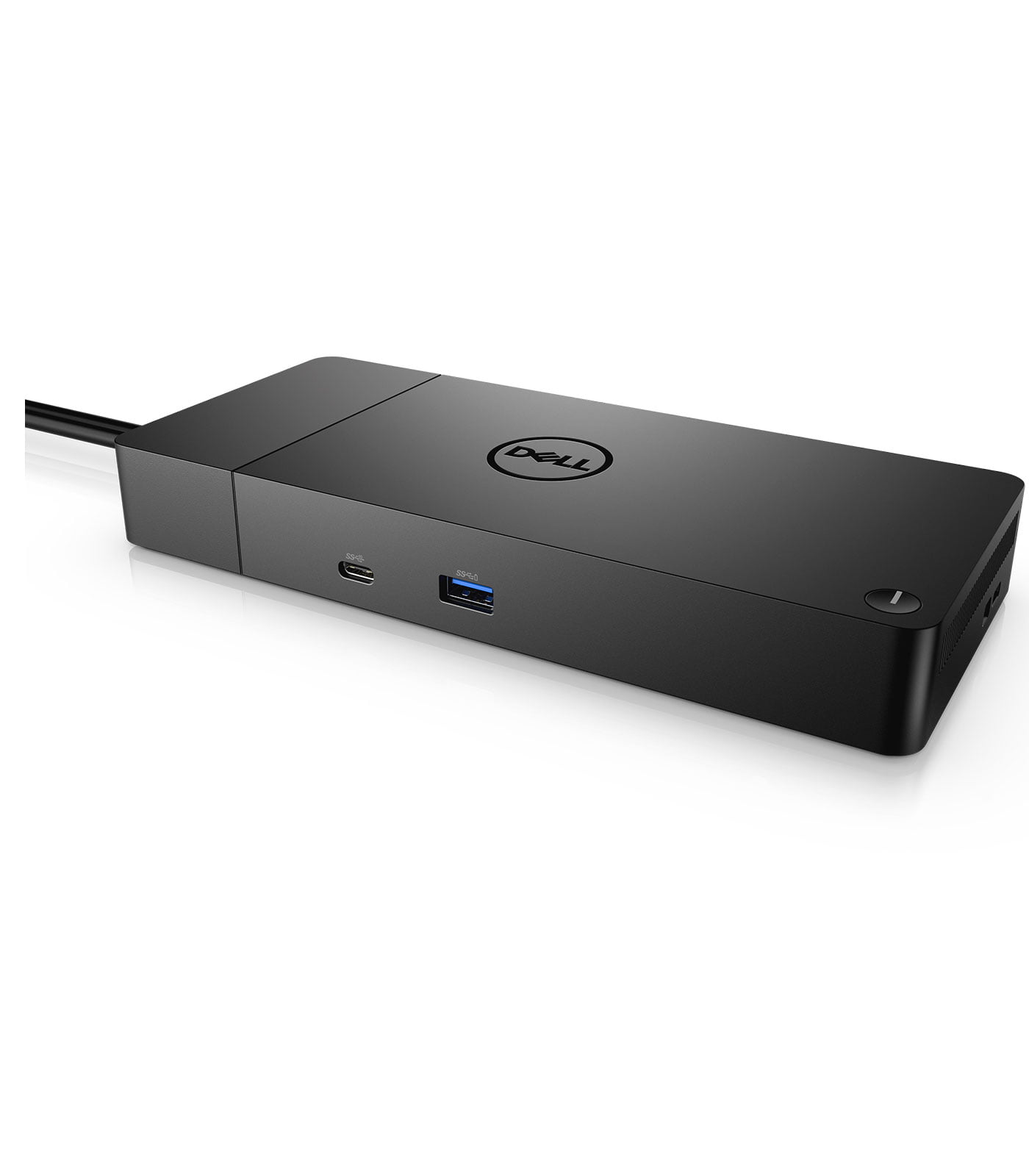
Dell WD19DCS Performance Docking Station
Dell WD19DCS Performance Docking Station
Description
Dell WD19DCS Performance Docking Station
Features
 The Dell WD19DCS is a dual USB-C docking station designed to provide users with fast, reliable connectivity. Built to deliver 240W of power, it’s ideal for power users who need quick access to multiple monitors, data transfer, and high-speed peripherals. Unlike single USB-C docks, the WD19DCS utilizes two USB-C cables, which enhances power delivery and ensures a stable connection for Dell Precision Mobile Workstations and other compatible laptops. The WD19DCS uses dual USB-C connections to link with your laptop, providing up to 210W of power delivery to Dell Laptop and up to 90W for other laptops. This dual-cable design allows for a reliable and robust connection, reducing lag or instability that can sometimes accompany high-powered workflows.
High-Speed Power Delivery
One of the standout features of the WD19DCS is its impressive 240W power adapter. This enables the dock to supply 210W of power to your device, perfect for high-performance laptops and workstations. Users can work for extended periods without worrying about battery drainage, which makes it a practical solution for power-hungry tasks like video editing, design, and engineering. With support for dual 4K displays at 60Hz or a single 5K display, the WD19DCS enhances visual experiences. Whether you’re in creative design, software development, or financial analysis, working with multiple monitors increases productivity and streamlines multitasking. The dock’s DisplayPort and HDMI options also allow for flexible configurations.
Flexible Port Configuration
 The WD19DCS offers a wide array of connectivity options USB-A Ports: The dock includes three USB-A 3.1 Gen 1 ports for connecting traditional USB devices like external hard drives, keyboards, and mice USB-C Ports: In addition to dual host connections, it also provides one USB-C 3.1 Gen 2 port for faster data transfer and a versatile range of connections Ethernet Port: The dock comes with a Gigabit Ethernet port, ideal for those who need fast, reliable internet without relying on Wi-Fi Audio Jack: For users who need audio equipment or prefer a wired audio connection, the WD19DCS includes a 3.5mm audio jack.
Improved Data Transfer Rates
With USB-C 3.1 Gen 2, the WD19DCS offers faster data transfer rates compared to older docking stations. This means transferring large files, such as video footage or design assets, becomes more efficient and helps save time. The WD19DCS has a modular design, allowing it to integrate with other Dell accessories, including the WD19TB (Thunderbolt) and WD19TBS docks. This flexibility makes it easy for businesses to scale their docking solutions as needed.
Compatibility with Dell Precision Workstations and Beyond
The WD19DCS was designed with Dell Precision Mobile Workstations in mind, but its compatibility goes beyond Dell products. It works with any laptop that has USB-C or Thunderbolt 3 connectivity, although the maximum power delivery may vary. Non-Dell systems can expect around 90W of power delivery, while Dell systems enjoy up to 210W, making this dock an excellent choice for Dell users.
How to Set Up the Dell WD19DCS Docking Station
Setting up the WD19DCS is straightforward: Connect Dual USB-C Cables: Use both USB-C cables to connect the dock to your laptop. The dual connection ensures power delivery and data transfer stability. Plug in Power Adapter: Use the included 240W power adapter to connect the dock to a power source. Connect Peripherals: Attach monitors, Ethernet, USB devices, and audio equipment as needed. Configure Display Settings: For dual monitors, configure your display settings to extend or duplicate screens. The dock supports dual 4K monitors or one 5K monitor, giving you ample flexibility. Download Drivers (if needed): For optimal performance, install the latest Dell drivers from Dell’s website.
Performance and Real-World Applications
 The WD19DCS excels in various professional settings, from creative studios to engineering firms: Design and Media Creation: Graphic designers and video editors benefit from the dock’s ability to support multiple 4K monitors, making it easier to work across multiple applications and manage large design files. Financial Analysis and Trading: Dual monitors offer a significant advantage for financial analysts who need to track multiple data streams and work across complex spreadsheets. Software Development: Developers benefit from high-speed data transfer, extended displays, and stable power delivery, essential for coding environments that involve virtual machines or intensive simulations.
Pros and Cons of the Dell WD19DCS
Pros
- High power delivery (up to 210W for Dell laptops)
- Support for dual 4K displays or a single 5K display
- Modular and versatile design compatible with other Dell docks
- Wide variety of ports for diverse connectivity needs
- Sturdy build quality and Dell’s reliable customer support
Cons
- Bulkier than some other docks, which may be a factor for smaller workspaces
- Limited to Dell’s proprietary design for peak functionality (though it’s compatible with other brands, the power delivery is lower)
- Premium price point, which may be a consideration for individual users on a budget
Is the Dell WD19DCS Worth It
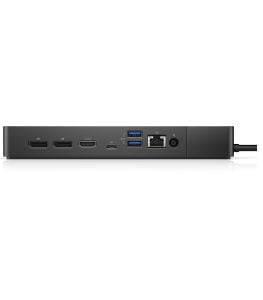 The Dell WD19DCS Performance Docking Station is a worthwhile investment for those in need of a high-performance docking solution. Its dual USB-C connection and 240W power supply make it ideal for users who demand speed, reliability, and flexibility in a dock. While its best performance is seen with Dell Precision laptops, it also provides great functionality for other systems.
In terms of productivity gains, the WD19DCS easily earns its place in modern workspaces where connectivity, display quality, and stable power delivery are crucial. The dock’s flexible port selection allows it to function as a one-stop solution, eliminating the need for multiple adapters and hubs, thus simplifying workspace setups.